UDN
Search public documentation:
NormalMapProcessing
日本語訳
中国翻译
한국어
Interested in the Unreal Engine?
Visit the Unreal Technology site.
Looking for jobs and company info?
Check out the Epic games site.
Questions about support via UDN?
Contact the UDN Staff
中国翻译
한국어
Interested in the Unreal Engine?
Visit the Unreal Technology site.
Looking for jobs and company info?
Check out the Epic games site.
Questions about support via UDN?
Contact the UDN Staff
UE3 Home > Static Meshes > Normal Map Processing
UE3 Home > Environment Artist > Normal Map Processing
UE3 Home > Environment Artist > Normal Map Processing
Normal Map Processing
Document Changelog: Created by Josh Marlow; maintained by Paul Oliver.
On Processing Normal Maps
Chamfered Smoothing groups
- PROS - Rich normal maps, few no sharp edges in low-poly
- CONS - Vert count, lack of reusability
Single Smoothing group
- PROS - Cheap and full of pop
- CONS - Not adaptable to other designs
Multiple Smoothing groups
- PROS - Very clean and reusable normal maps
- CONS - Vert count
Processing Examples
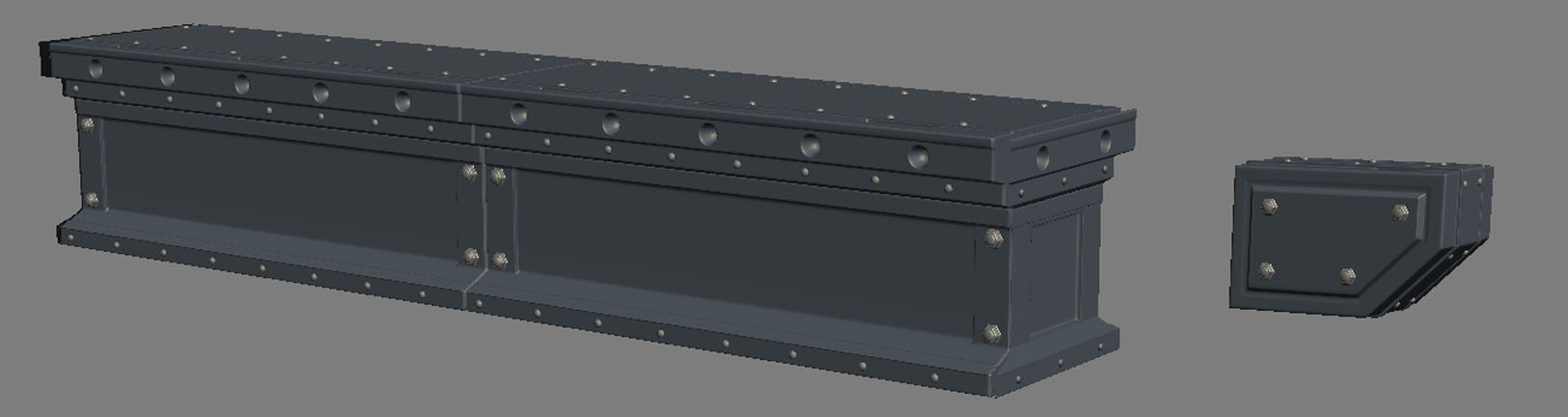 Initially I tried using one smoothing group in the hopes of having a lot of pop in the normal map and to compensate for the fact that the design would be pretty flat and boring. I got the result you see below
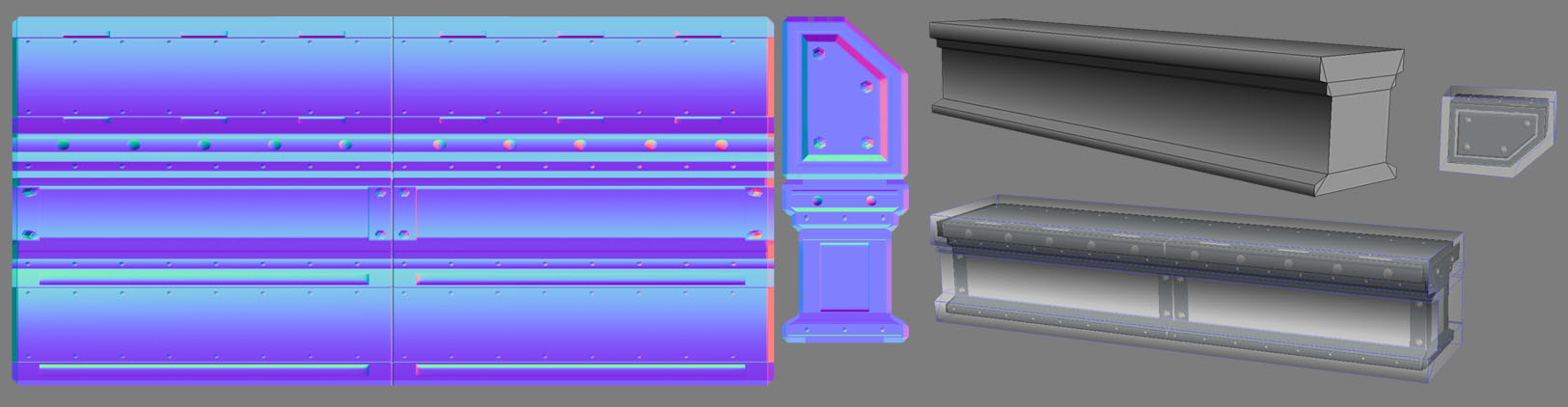 Even on the normal map view only it was clear there were problems, you can see that the bolts on the side, in the middle are projected flat, but the bolts at the middle side are stretched toward the edge and can be seen at an angle. It's also clear that the normals are bending across the whole object so are not truly representative of the shape of the girder.
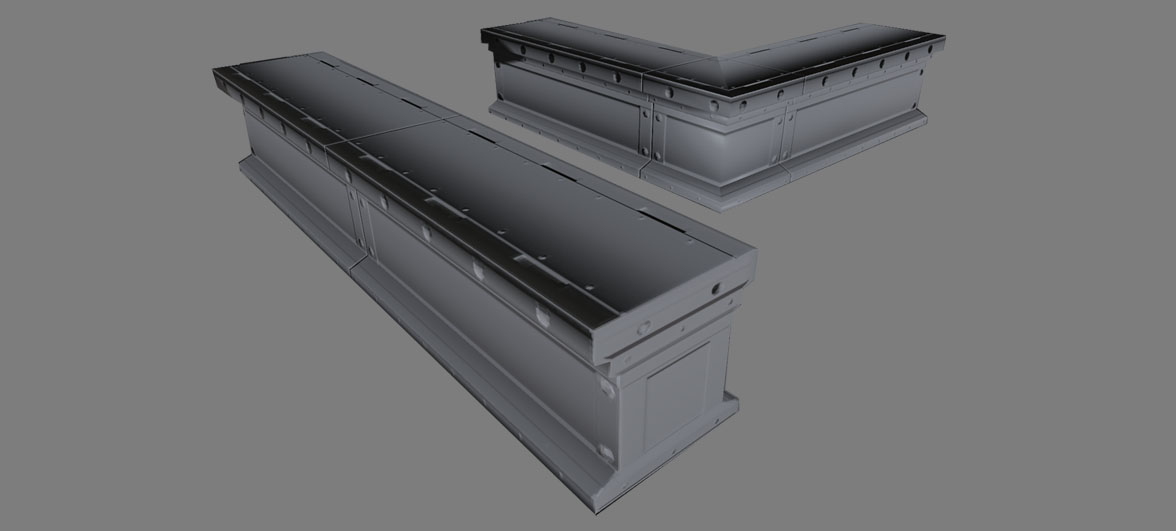 In-game you can see that the normals are too pillowed when seen from certain angles and when I tried to create a corner variant through the Symmetry modifier it created noticeable seams at the mirroring point that betrays how processed it and make it seam fake.
Next I tried using Multiple Smoothing Groups to control the process and make it cleaner.
In-game you can see that the normals are too pillowed when seen from certain angles and when I tried to create a corner variant through the Symmetry modifier it created noticeable seams at the mirroring point that betrays how processed it and make it seam fake.
Next I tried using Multiple Smoothing Groups to control the process and make it cleaner.
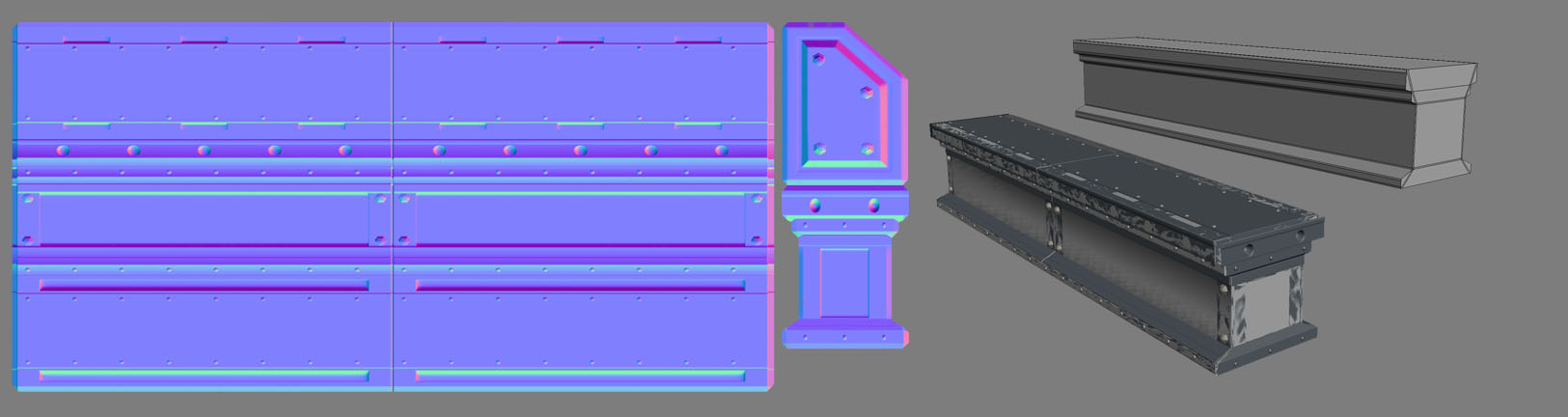 This almost works but the side sections still bend vertically a little on the bolts and the bolts at the edges still stretch a bit horizontally next to the end cap which also has the skewed bolt problem. This method should actually work but its a weakness of 3DS Max's cage method, it handles breaks in smoothing groups or end caps to a rectangle shaped model poorly as the cage doesnt project flat, it bends slightly.
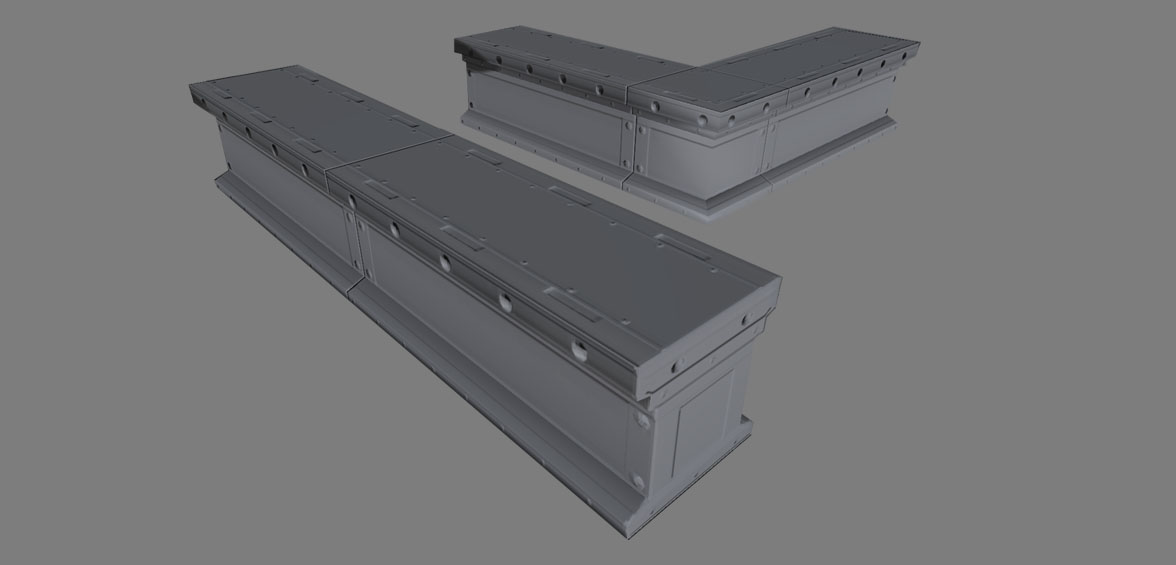 Ingame its clear that the end cap processed in correctly because of the Cage bending, it didn't project flat so it missed some of the information resulting in the bevels on the cap not meeting neatly with the bevels on the side. You can also see there are slight seams on some angles on the corner variant I made.
We are almost there though, it's just fine tuning thats required at this point and we can fix these last 2 issues with the Detached smoothing group trick.
Ingame its clear that the end cap processed in correctly because of the Cage bending, it didn't project flat so it missed some of the information resulting in the bevels on the cap not meeting neatly with the bevels on the side. You can also see there are slight seams on some angles on the corner variant I made.
We are almost there though, it's just fine tuning thats required at this point and we can fix these last 2 issues with the Detached smoothing group trick.
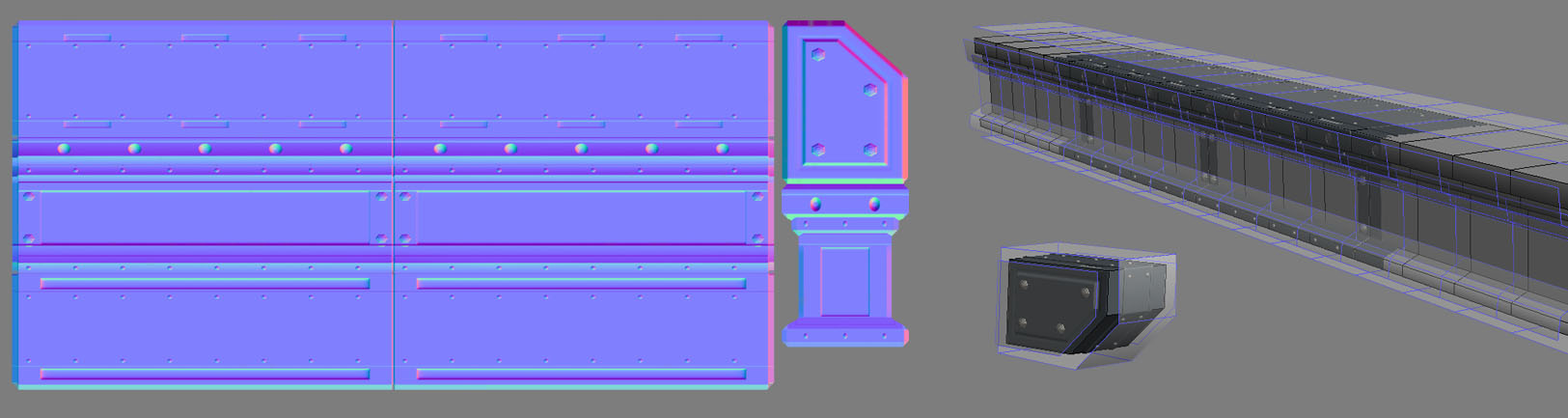 So with using the Detached Smoothing group method, you can see how it allows the cage to interpret the smoothing groups correctly, the flat plane on the top projects straight up, the sides project straight outwards. I am also fixing the issues I was having with the bolts at the edges distorting by extending the lowpoly mesh past the ends of the hipoly design. This works because the smoothing groups are then relative to how they would be if I were tiling the design multiple times rather than relative to one section. We are tricking the cage into ignoring the ends of the smoothing group so it imitates how a tiling BSP texture works.
The areas of the low-poly I extend to the side have no hi-poly information to grab so I just move those UV's off to the side of the area that has information to process. This is a fiddly thing that doesn't make a lot of sense at first but what we are trying to do is process relative to how the object will be used in-game instead of processing relative simply to the UV's and one hi-poly configuration.
Often this is the key factor in choosing what method of processing to use, it's based more on how we know the asset will be used ingame. We are planning in this case on stacking a number of these girders side by side at the capped ends and merging them into longer versions that I processed.
So with using the Detached Smoothing group method, you can see how it allows the cage to interpret the smoothing groups correctly, the flat plane on the top projects straight up, the sides project straight outwards. I am also fixing the issues I was having with the bolts at the edges distorting by extending the lowpoly mesh past the ends of the hipoly design. This works because the smoothing groups are then relative to how they would be if I were tiling the design multiple times rather than relative to one section. We are tricking the cage into ignoring the ends of the smoothing group so it imitates how a tiling BSP texture works.
The areas of the low-poly I extend to the side have no hi-poly information to grab so I just move those UV's off to the side of the area that has information to process. This is a fiddly thing that doesn't make a lot of sense at first but what we are trying to do is process relative to how the object will be used in-game instead of processing relative simply to the UV's and one hi-poly configuration.
Often this is the key factor in choosing what method of processing to use, it's based more on how we know the asset will be used ingame. We are planning in this case on stacking a number of these girders side by side at the capped ends and merging them into longer versions that I processed.
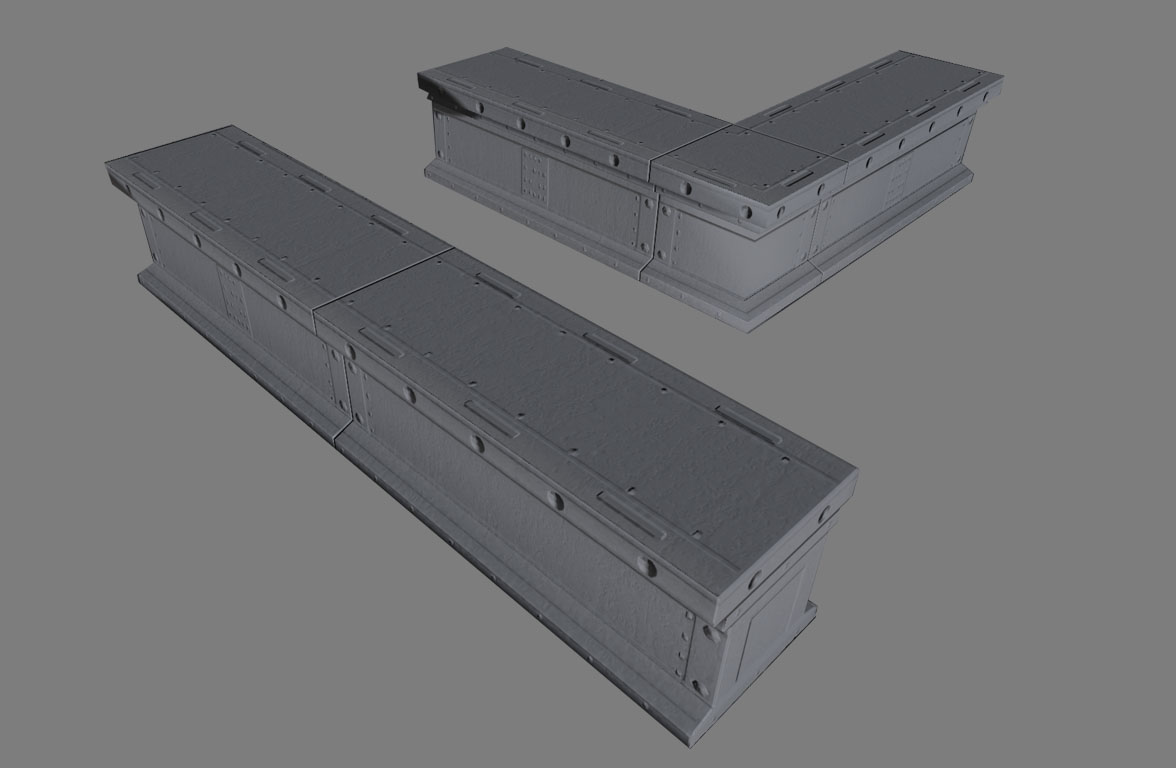 We can see now that ingame this mesh looks perfect, all the bolts are projected flat, theres zero distortion and it support the corner variant without seams alo because the normals are so flat and relative to the smoothing groups.
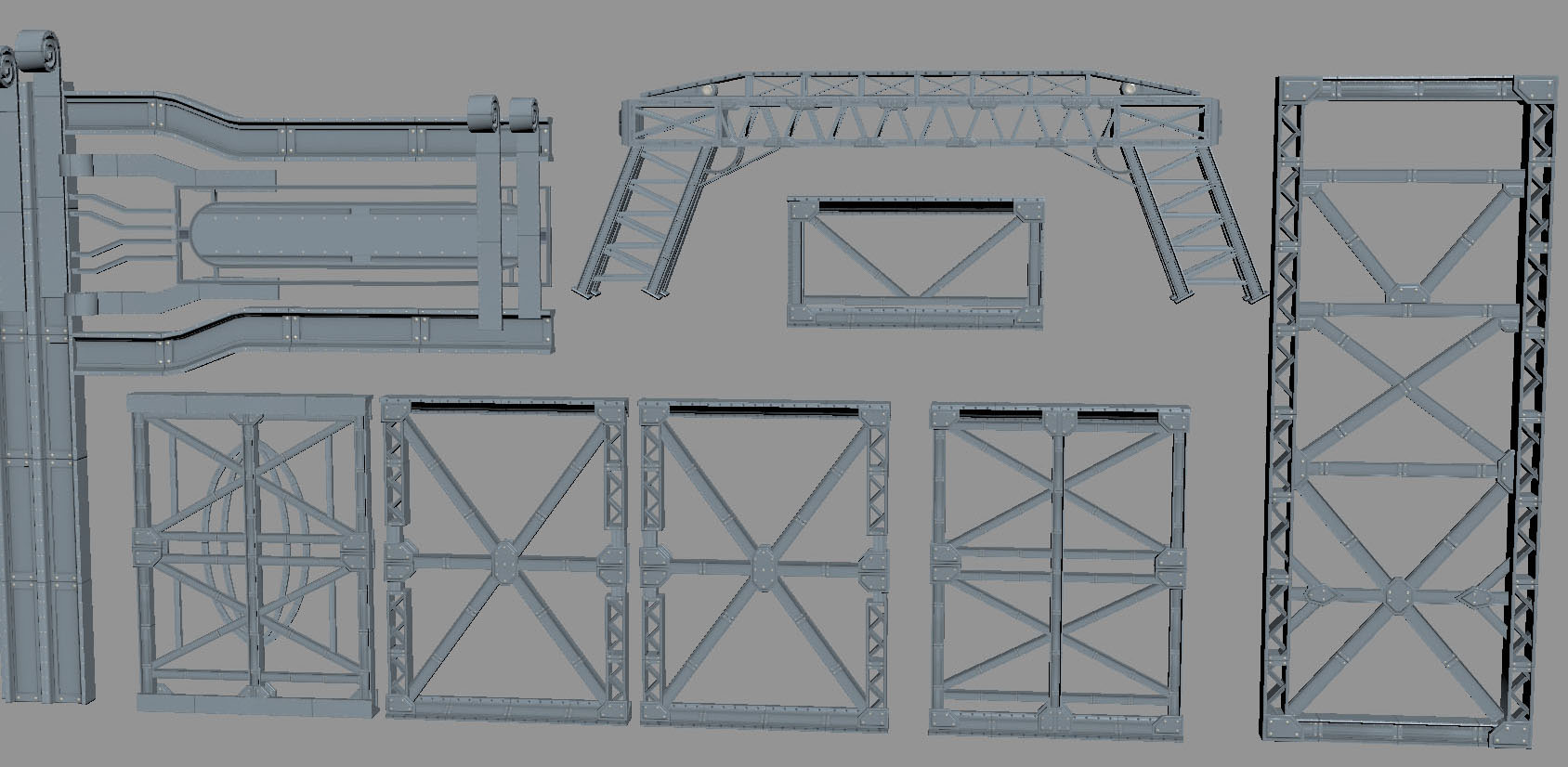
This is what allows our texture to support multiple modular variants in-game, below you can see how many extra pieces I was able to make with these pieces, the girder was part of a railing set in the Bridge set in Gears3.
We can see now that ingame this mesh looks perfect, all the bolts are projected flat, theres zero distortion and it support the corner variant without seams alo because the normals are so flat and relative to the smoothing groups.
This is what allows our texture to support multiple modular variants in-game, below you can see how many extra pieces I was able to make with these pieces, the girder was part of a railing set in the Bridge set in Gears3.
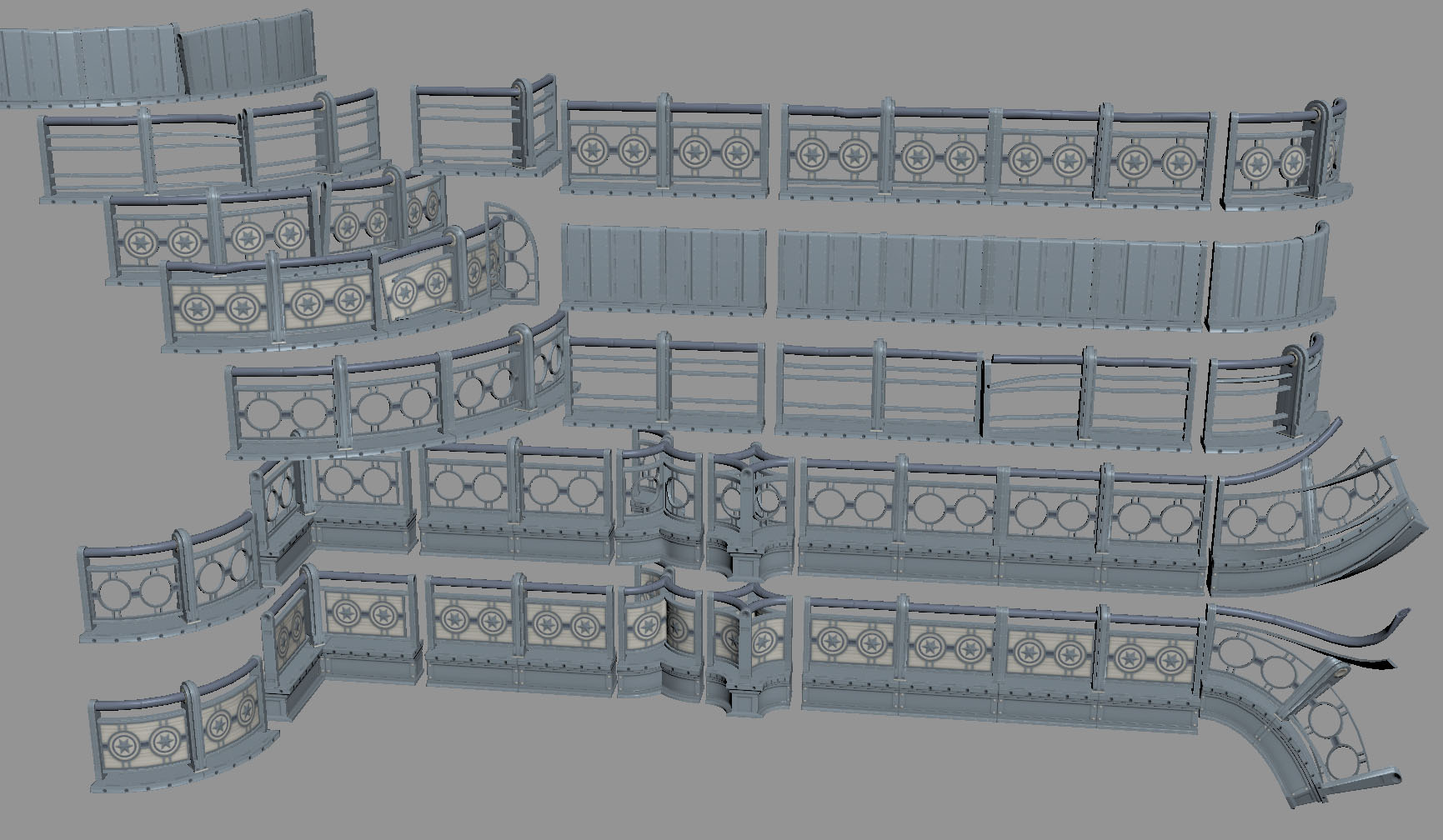 Due to the normal maps being so flat they were able to support other unplanned designs because they were easy to unwrap to more mechanical shapes.